
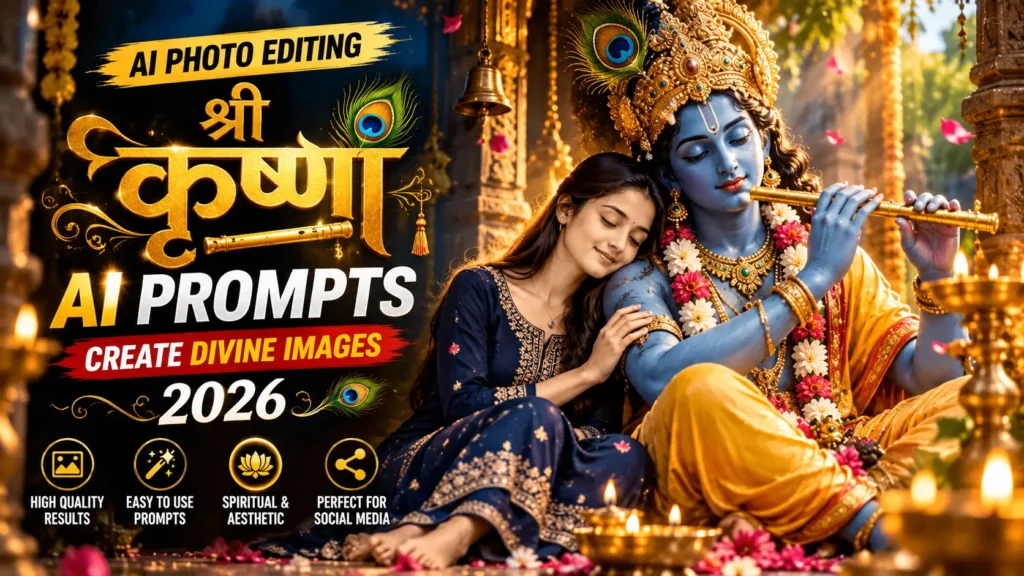

Can you see those photos where someone stands beside a giant blue Krishna mural, with soft golden light behind them? When I first saw one, I thought a pro photographer must have planned the whole shoot. I was sure I couldn’t make something like that.
But I tried it myself with one clear photo and ChatGPT, and the result surprised me. Believe me, it’s much easier than it looks. In this article I’m sharing 3 copy and paste cinematic God Krishna photo editing prompts that I tested. I’ll also show you exactly where to make small changes so the photo looks like you.
What Is a Cinematic God Krishna Photo
You might be wondering what a cinematic God Krishna photo really is. Let me explain it in simple words. It’s a portrait where you stand beside a large Krishna mural or artwork, with warm golden light and a calm, devotional mood. AI blends your photo into the scene, so it looks like a real movie-style photograph.
When I looked closely at the ones I liked most, three things kept showing up:
- Soft golden light: usually a sunset glow from behind, which gives that peaceful feeling
- A calm pose: eyes closed, a gentle look, or even standing with your back to the camera
- A giant mural: the artwork is big, so you feel small next to it, and that’s what makes it dramatic
Simple, right? And the best part is how little you need to start. A good photo is the first step, so let’s talk about that next.
Chatgpt Krishna Photo Editing Prompts
Here are three prompts, each with its own mood. Before you paste, look for the words in [brackets]. Those are the spots you change:
Prompt 1: Golden Sunset Lord Krishan Mural Photo Prompt
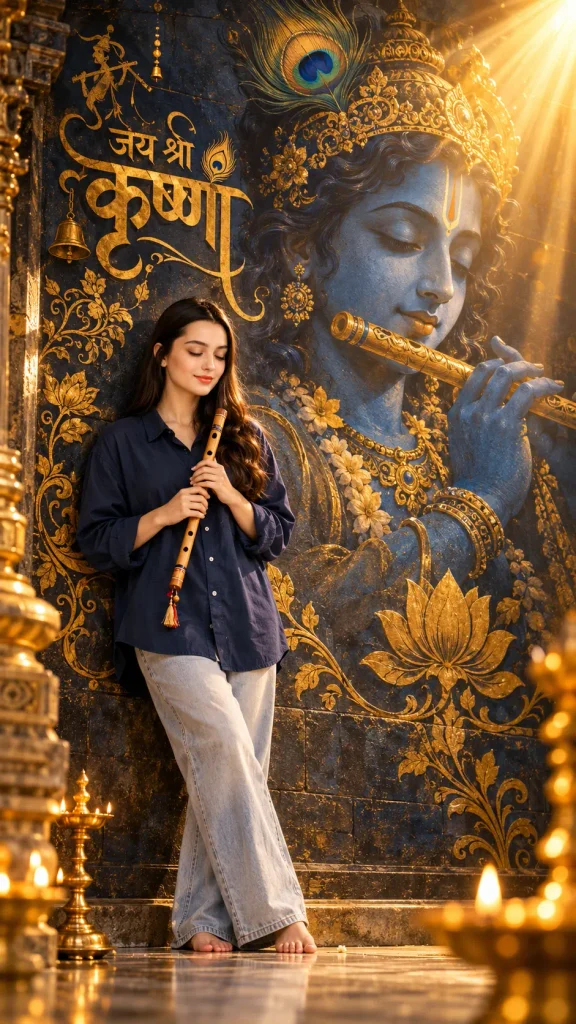
Use my uploaded photo as the exact face reference. Keep my face structure, skin tone, hairstyle, beard, eye shape, nose, lips, jawline, proportions, and expression exactly the same. Do not beautify, smooth, slim, age, or restyle me. It must clearly be the same person. Create an ultra-realistic vertical 4:5 devotional portrait of me standing barefoot in front of a grand dark textured mural wall. On the wall is a massive artwork of Lord Krishna in deep blue tones, with a peacock feather crown and gold jewellery, playing a golden flute. Around the artwork, add decorative golden calligraphy with fine floral ornaments and lotus motifs, as if engraved into the wall. I wear an oversized navy-blue shirt and light-wash wide-leg jeans. I hold a traditional wooden flute gently in both hands near my chest, not touching my lips. My eyes are closed, my expression is calm and peaceful, and my posture is relaxed and straight. Lighting: warm golden sunlight rays from the top-right corner, a soft glow on my face, volumetric light, and tiny floating golden particles. Rich gold and blue colour contrast, soft natural shadows, subtle film-style colour grading. Photography: Sony A7R V, 85mm lens, f/1.8, centered composition, shallow depth of field, sharp focus on my face, realistic skin pores, natural hands and fingers, detailed mural brushwork, natural fabric folds. Calm, respectful, spiritual atmosphere. Photorealistic, 4K HDR. Negative prompt: different face, beautified or plastic skin, extra fingers, distorted hands, flute touching the lips, blurry face, garbled or misspelled text, extra text, watermark, logo, cartoon, CGI.Prompt 2: Dark Blue AI Lord Krishna Mural Photo Editing Prompt
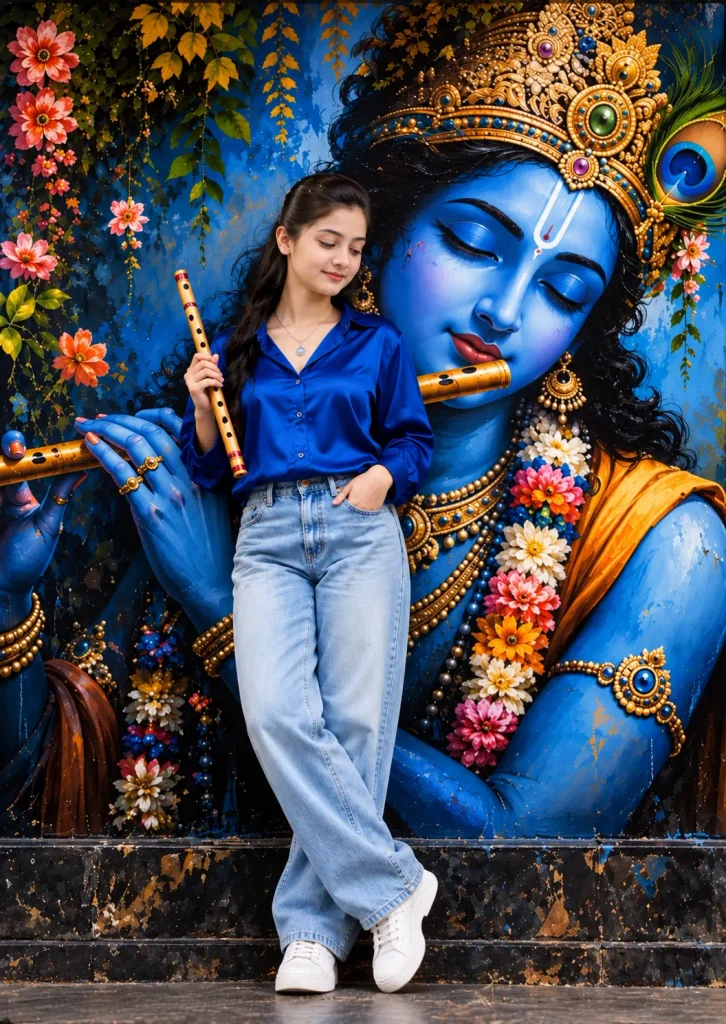
Use my uploaded photo as the exact face identity reference. Preserve my original facial features, face shape, skin tone, eyes, nose, lips, and recognizable identity. Create an ultra-realistic, full-body portrait of me standing in front of a magnificent Lord Krishna mural. Pose me with my head slightly tilted downward, eyes gently lowered, and a peaceful expression. One hand holds a traditional bamboo flute vertically near my shoulder, the other rests inside my jeans pocket, and my legs cross naturally at the ankles. Dress me in a royal-blue satin shirt, light-wash blue jeans, white sneakers, and a minimal silver necklace. Behind me, create a giant, detailed blue Lord Krishna mural with closed eyes, an ornate golden jeweled crown, peacock feather, golden flute, colorful floral garlands, hanging green vines, and a dark textured stone wall. Use rich blue and gold colors, cinematic lighting, realistic skin texture, natural anatomy, and professional photography. Vertical 3:4 composition, full body visible from head to shoes. Keep my face identity unchanged; recreate the described pose, expression, outfit, and background accurately. No cartoon effects, distorted hands, extra fingers, text, or watermark.Prompt 3: Krishan Night Window Glow Photo Prompt
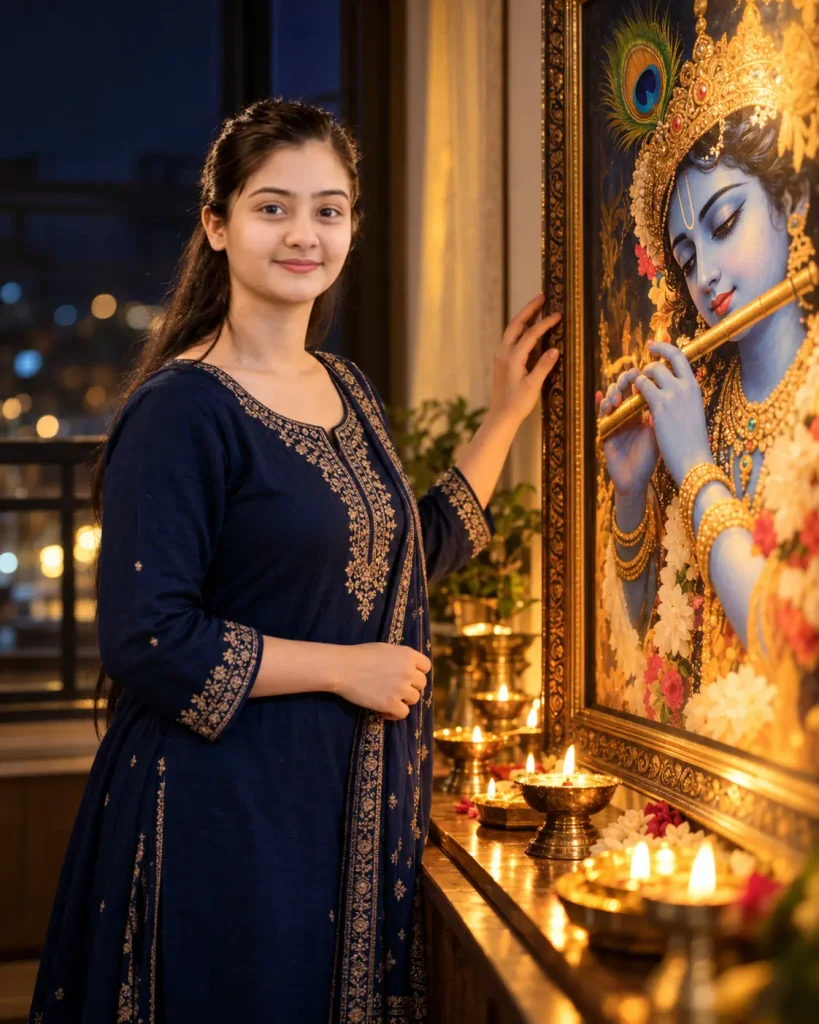
Use my uploaded photo as the exact face reference. Keep my face, skin tone, hairstyle, and features exactly the same. Do not beautify or change them. Create a vertical 4:5 cinematic portrait of me standing beside a window at night, wearing [OUTFIT]. I gently reach toward a large framed artwork of Lord Krishna with blue skin, a peacock feather crown, and a flute. Warm glow from small oil lamps (diyas) lights my face and the artwork. Dark, calm background with soft bokeh. Realistic photography, natural skin texture, soft shadows, shallow depth of field, peaceful devotional mood. Negative prompt: different face, beautified skin, extra fingers, distorted hands, blurry face, text, watermark, logo.How to Make God Krishna Photo in ChatGPT
This takes just a few minutes. Follow the steps in order, because the order really matters here.
- Open ChatGPT on your phone or at chatgpt.com.
- Tap the plus (+) icon, then choose Photos.
- Pick one clear photo where your face is easy to see. If you chose the back-view prompt, any photo with your hairstyle and body shape works.
- Copy a prompt from above. On mobile, press and hold the prompt, then tap Copy.
- Paste it in the message box and change the brackets: [OUTFIT] for what you want to wear [WALL COLOUR] for the mural wall (Prompt 2 only)
- Tap the send arrow and wait a few seconds.
- Tap the download icon to save your photo.
Don’t love the first result? Don’t worry. Change one small thing, like the outfit or the wall colour, and send it again. Before you post, zoom in and check three things: your face, your hands (and the flute), and any text on the wall.
Conclusion
Remember the photos I talked about at the start? The ones that looked like a pro photographer planned every detail. I used to think I could never make something like that. Now you know it only takes one clear photo and one good prompt.
So pick one of the cinematic God Krishna photo editing prompts above, change the brackets, and send it to ChatGPT. If the first result isn’t what you wanted, change one small thing and try again. That’s how I found the look I like best. And please keep the mood calm and respectful. That’s what makes these photos feel special. When your photo is ready, tell me in the comments which prompt you picked. I’d love to see how it turned out.
Also Read: AI Instagram Milestone Poster Photo Editing Prompts 2026



Pingback: Torn Paper Effect Double Exposure ChatGpt Photo Editing Prompts - Prompt Insta