
Diwali 2026 falls on Sunday, 8 November, and once again, beautiful rangoli designs will light up homes across India. Rangoli is much more than just a colourful pattern on the floor — it is a traditional way to welcome Goddess Lakshmi, prosperity, and positive energy into the house. For centuries, families have created rangoli at their entrance during Diwali as a symbol of purity, creativity, and festive joy.
But in today’s busy lifestyle, not everyone has hours to spend creating intricate designs by hand. Some people want simple and easy rangoli ideas, while others look for unique, modern, or highly detailed designs that stand out. The good news is that you no longer have to choose. Now you can either make traditional rangoli yourself or generate your dream rangoli design using AI — both options are possible.
In this article, you will find ready-to-copy AI prompts specially created for Diwali Rangoli Designs 2026. These prompts work perfectly with popular AI tools like Midjourney, ChatGPT (DALL·E), Google Gemini, Ideogram, and Leonardo AI. Just copy any prompt, paste it into your favourite AI tool, and create stunning, simple, or elaborate rangoli images in seconds.
Why Use AI for Diwali Rangoli in 2026?
Creating a beautiful Diwali rangoli by hand can take a lot of time and practice. Many people struggle with getting the design perfectly symmetrical or finding enough free time during the busy festival season. This is where AI becomes extremely helpful in 2026. Using AI tools to generate Diwali rangoli designs offers several clear advantages:
- Saves a lot of time: Instead of spending hours drawing and filling colours, you can create a complete design in under a minute.
- Perfect for beginners: You don’t need any drawing skills. Even if you have never made rangoli before, AI can give you professional-looking results.
- Unique and creative designs: AI can generate modern, traditional, floral, geometric, or completely original rangoli patterns that are hard to create by hand.
- Instagram-ready photos: The images generated by AI are high-quality, well-lit, and perfect for posting on social media, WhatsApp status, or digital invitations.
Diwali Rangoli Designs Photo Editing Prompts
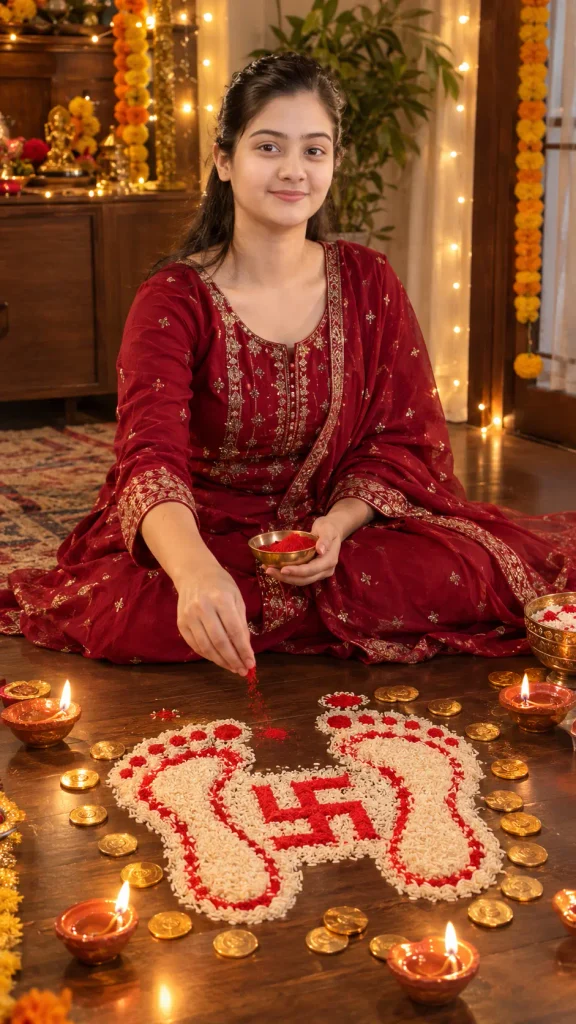
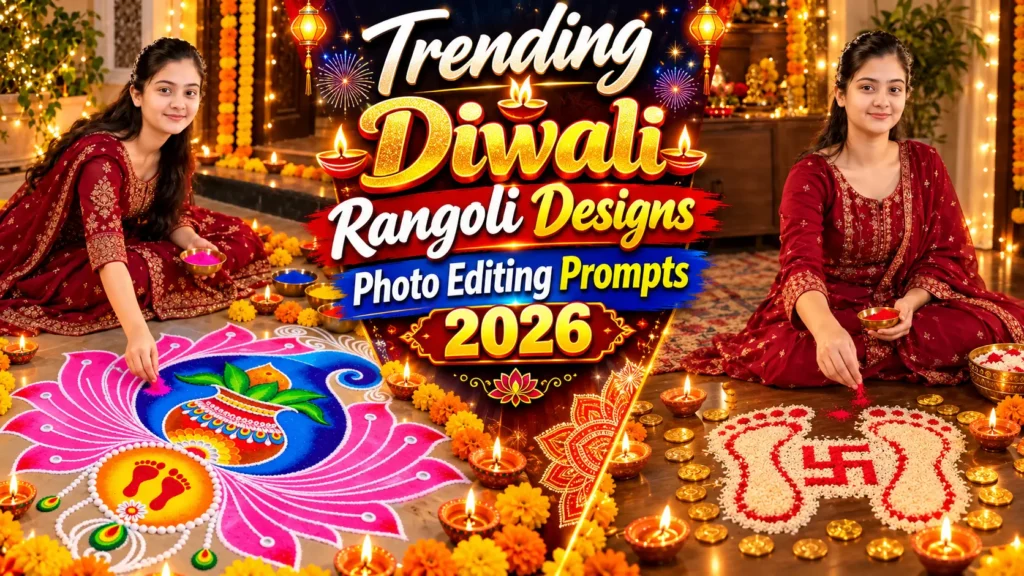
Use my uploaded selfie as the exact face reference. Create a hyper-realistic 9:16 vertical Diwali photograph of me sitting on the floor, wearing a beautiful traditional red/maroon embroidered Indian festive outfit, personally making a Lakshmi-footprint-shaped rangoli using white rice grains, with a bright red Swastik design in the center, surrounded by scattered golden coins and glowing clay diyas on a dark wooden floor. Show me naturally sprinkling red rangoli powder onto the design with my hand, looking beautifully natural. Add warm Diwali lighting, realistic skin texture, authentic Indian festive atmosphere and professional DSLR photography. Preserve my exact facial identity, face shape, skin tone and features from the uploaded selfie. Make the rangoli and my face clearly visible. Extremely realistic, detailed, natural photography, 4K quality. No text, no watermark, no borders.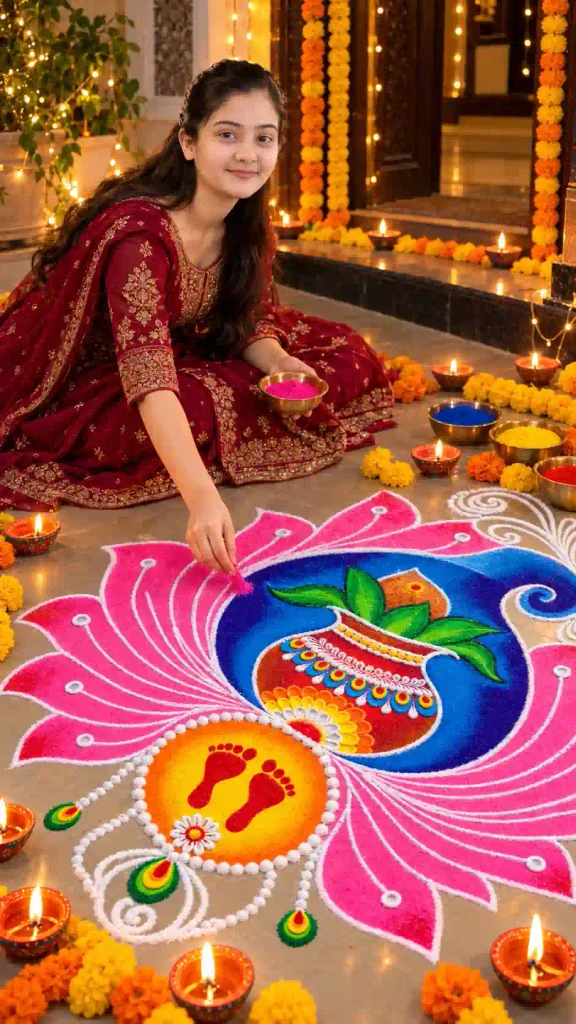
Use my uploaded selfie as the exact face and identity reference. Create an ultra-realistic 9:16 vertical DSLR photograph of me sitting naturally on the floor, wearing a beautiful deep maroon traditional Indian Anarkali suit with intricate golden embroidery and matching dupatta, making the exact same vibrant Diwali rangoli shown in the reference: a large pink lotus-petal design with a deep royal-blue circular center, a beautifully decorated colorful traditional Kalash with green leaves, and a golden-yellow circular section featuring two bright red Lakshmi footprints, all outlined with delicate white rangoli patterns. Show me carefully sprinkling pink rangoli powder onto the design with my right hand while holding a small bowl of colored powder in the other hand. Preserve my exact facial identity, face shape, skin tone and natural features from my uploaded selfie. Surround the scene with glowing traditional clay diyas, marigold flower garlands, warm fairy lights and an authentic Indian Diwali home entrance. Capture my face and the complete rangoli clearly in the frame. Extremely photorealistic, natural skin texture, realistic hands, authentic rangoli powder texture, warm festive lighting, professional high-resolution photography. No text, no watermark, no logo, no borders, no illustration, no CGI.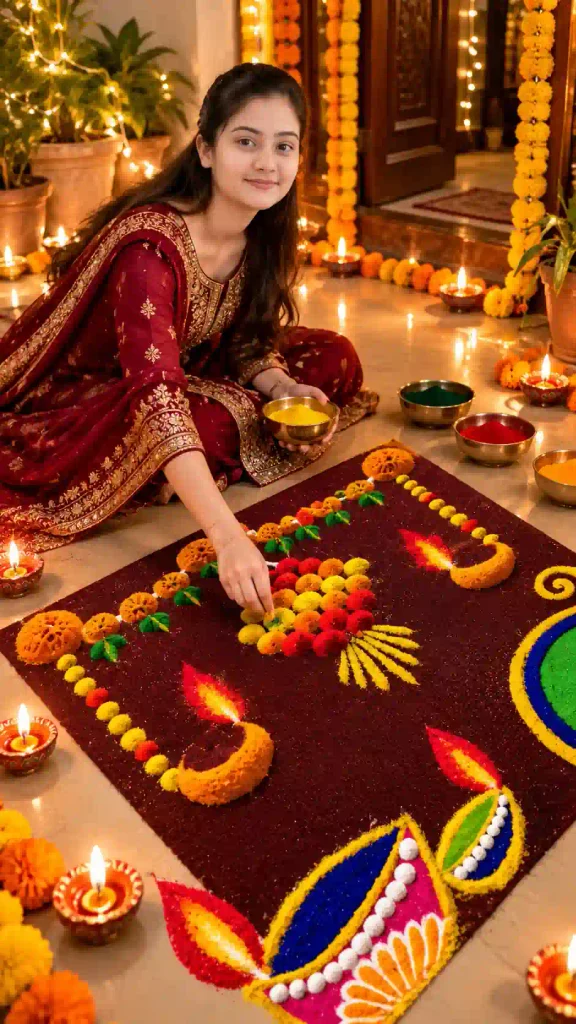
Use my uploaded selfie as the exact face and identity reference. Create an ultra-realistic 9:16 vertical DSLR photograph of me sitting naturally on the floor, wearing a beautiful deep maroon traditional Indian Anarkali suit with golden embroidery and matching dupatta, creating the exact Dhanteras rangoli shown in the reference: a large rectangular deep maroon rangoli base decorated with colorful yellow, orange and red floral patterns, traditional glowing diyas, beautiful green and blue circular motifs, and an intricate colorful decorative diya design. Show me carefully adding green rangoli powder to the design with my right hand, wearing elegant traditional bangles. Preserve my exact facial identity, face shape, skin tone and natural features from my uploaded selfie. Add warm natural sunlight, a beautifully decorated Indian home entrance, authentic rangoli powder texture and realistic festive details. Capture my face and the complete rangoli clearly. Professional DSLR photography, photorealistic, high detail, natural skin texture, 4K quality. No text, no watermark, no logo, no borders.How to Create Diwali Rangoli Designs Photo Using ChatGPT, Gemini & Other Ai Tools
Now you have prompts so you can using AI to create Diwali rangoli designs is very simple. You just need to copy the prompt and paste it into any AI image tool with your selfie image. Here are the best tools you can use in 2026:
- Visit website or Mobile App ChatGPT , Gemini other tools.
- Click + Icon Choose Image Create Feature for better result.
- Upload your selfie image and paste prompt.
- wait few second your image design start.
- Now Download your Diwali Rangoli Designs Photo.
- Share with your friend & families in your social media handles.
Tips for Getting Better Diwali Rangoli Designs Photo With ChatGPT
If you want more beautiful and accurate Diwali rangoli images from ChatGPT. sofFollow these simple tips to get better results every time:
- Be Specific with Details: Instead of writing “Diwali rangoli”, clearly mention the design. For example “Lakshmi Charan rangoli with Swastika made of white rice and red powder” or “simple floral rangoli with diyas”.
- Always Mention the View: Add “top-down view” or “overhead shot” in your prompt. This helps ChatGPT create a clear and proper rangoli design photo.
- Focus on Symmetry: Include words like “perfect radial symmetry”, “highly symmetrical”, or “balanced mandala style” for clean and professional-looking designs.
- Describe Colors Clearly: Mention exact colors such as “vibrant red, marigold orange, turmeric yellow, and white” instead of just saying “colorful”.
- Add Texture and Material: Write details like “made with colored powder and rice grains”, “flower petal rangoli”, or “chalk outline with filled colors” for more realistic results.
- Include Lighting and Background: Add “warm festive lighting”, “glowing clay diyas around the rangoli”, and “traditional Indian home background” to make the photo look more festive.
- Use Strong Ending Words
- Always end your prompt with: “highly detailed, photorealistic, vibrant colors, 8k”.
Best AI Tools for Better Diwali Rangoli Design Photos
| AI Tool | Recommended | Free / Paid |
| Ideogram | Best overall for perfect symmetry & clear patterns | Free plan available + Paid |
| ChatGPT | Beginners & easy prompt writing | Free (limited) + Paid (ChatGPT Plus) |
| Google Gemini | Fast results & good quality | Free |
| Midjourney | Highly detailed & artistic designs | Paid only |
| Leonardo AI | Realistic & vibrant rangoli photos | Free daily credits + Paid |
| Canva Magic Media | Quick editing & social media use | Free plan available + Paid |
Conclusion
Diwali Rangoli Designs 2026 can now be created faster and more beautifully than ever with the help of AI. Whether you want simple and easy designs for your home entrance or highly detailed and unique rangoli photos for Instagram, AI tools like ChatGPT, Gemini, Ideogram, Midjourney, and Leonardo make it possible in just a few seconds.
So using the ready-to-copy prompts and tips shared in this article, anyone can generate stunning Diwali rangoli design photos — even without any drawing experience. Just remember to add important words like “top-down view”, “perfect radial symmetry”, and “vibrant colors” for the best results.
This Diwali, try something new. Create your own beautiful rangoli designs with AI and make your celebrations more creative and special.
Have you tried generating rangoli with AI yet? Share your experience or favorite design in the comments below!