
“Hey friends! Right now, Torn Paper Effect Double Exposure ChatGPT Photo Editing Prompts are heavily trending among the youth. You know, the world has completely changed. Because of social media, young people want to stand out and get attention on platforms like Instagram and Facebook.
The reality today is that your online friend circle is super important for quick sharing and connecting with the world. Because of this, there is a race to see who can manage their social media handles professionally. Trust me, with AI, uploading professional-level content has become very easy. People are taking simple selfies and turning them into stylish, cinematic collages using AI, and the results look really premium!”
I know you are loving these images and want to create something similar using ChatGPT. So today, in this article, I will share some ready-to-use ChatGPT photo editing prompts that will help you create these exact Torn Paper Effect Double Exposure style photos very easily.
Why Torn Paper Double Exposure Photo Prompts Are Trending?
When I was scrolling through social media and reading the comments under these viral photos, Trust Me I was honestly surprised because most of the young generation were commenting things like Amazing, Super unique, and How can I create these torn paper photos. That’s when I truly understood the crazy hype behind this trend.
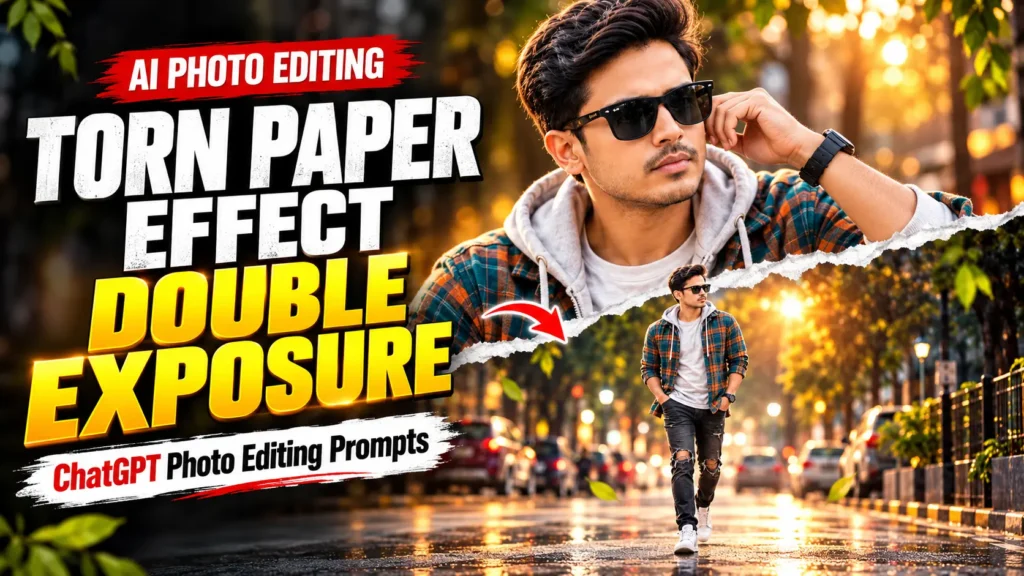
The Reason is torn paper double exposure photos look stylish, unique, and highly professional all at the same time. This style perfectly combines a close-up portrait with a full-body shot, using a realistic torn paper effect in the middle. It makes your picture look like a highly creative, premium Instagram collage.
Young creators love this aesthetic because it feels very modern and cinematic. The best part is you don’t need any high-level editing skills anymore. With just one simple selfie and a good ChatGPT prompt, anyone can create a premium-looking photo in seconds. That is exactly why these Torn Paper Effect Double Exposure prompts are blowing up right now.
Best Torn Paper Effect Double Exposure ChatGpt Photo Editing Prompts
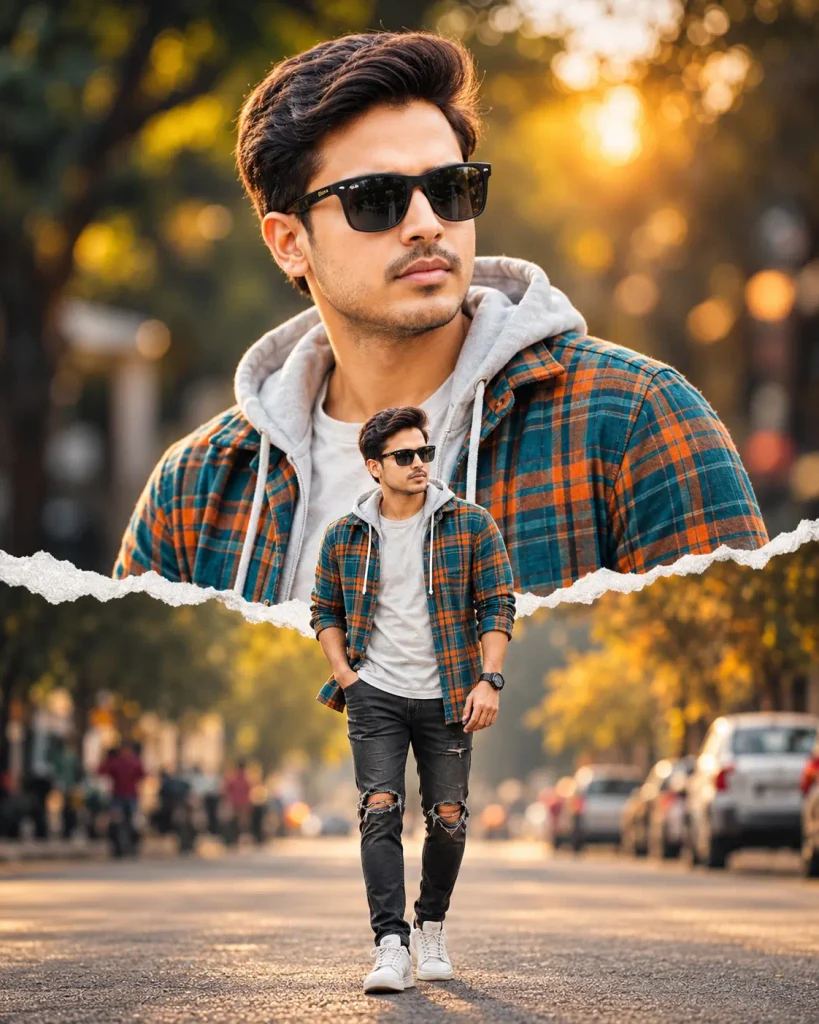
Use my uploaded photo as the exact face identity reference. Preserve my facial identity, face shape, skin tone, hairstyle, and natural features as accurately as possible. Create a premium, ultra-realistic cinematic photo collage inspired by a stylish Instagram portrait: a large close-up portrait in the upper half and a smaller full-body version of me in the lower center, separated by a realistic horizontal torn-paper effect. Dress me in a teal-and-orange plaid overshirt, light gray hoodie, black ripped jeans, white sneakers, and black sunglasses. Use a blurred tree-lined urban street, warm golden-hour lighting, cinematic bokeh, realistic shadows, and professional DSLR photography. Maintain consistent facial identity in both portraits, natural body proportions, sharp details, and a premium color grade. Vertical 4:5 composition (1080 × 1350), perfectly optimized for an Instagram post. No text, no watermark, no extra people in focus.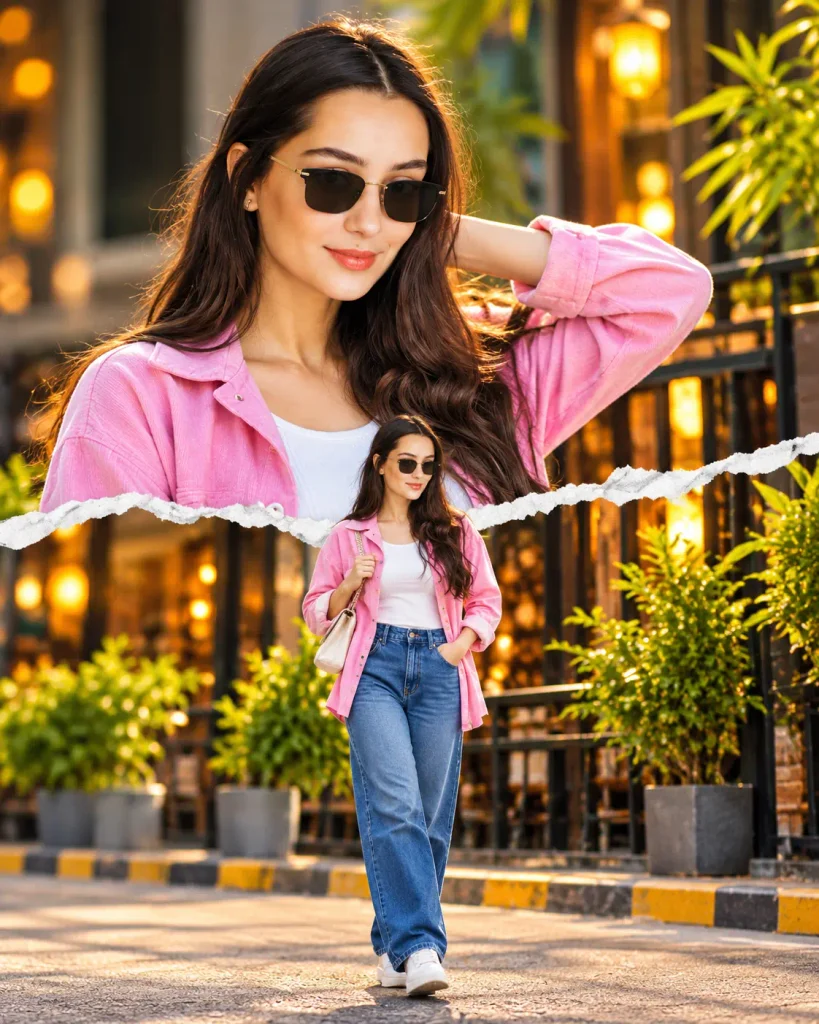
Use my uploaded photo as the exact face identity reference. Preserve my facial identity, face shape, skin tone, hairstyle, and natural features as accurately as possible. Create a premium, ultra-realistic cinematic photo collage inspired by a stylish Instagram portrait: a large close-up portrait in the upper half and a smaller full-body version of me in the lower center, separated by a realistic horizontal torn-paper effect. Dress me in a teal-and-orange plaid overshirt, light gray hoodie, black ripped jeans, white sneakers, and black sunglasses. Use a blurred tree-lined urban street, warm golden-hour lighting, cinematic bokeh, realistic shadows, and professional DSLR photography. Maintain consistent facial identity in both portraits, natural body proportions, sharp details, and a premium color grade. Vertical 4:5 composition (1080 × 1350), perfectly optimized for an Instagram post. No text, no watermark, no extra people in focus.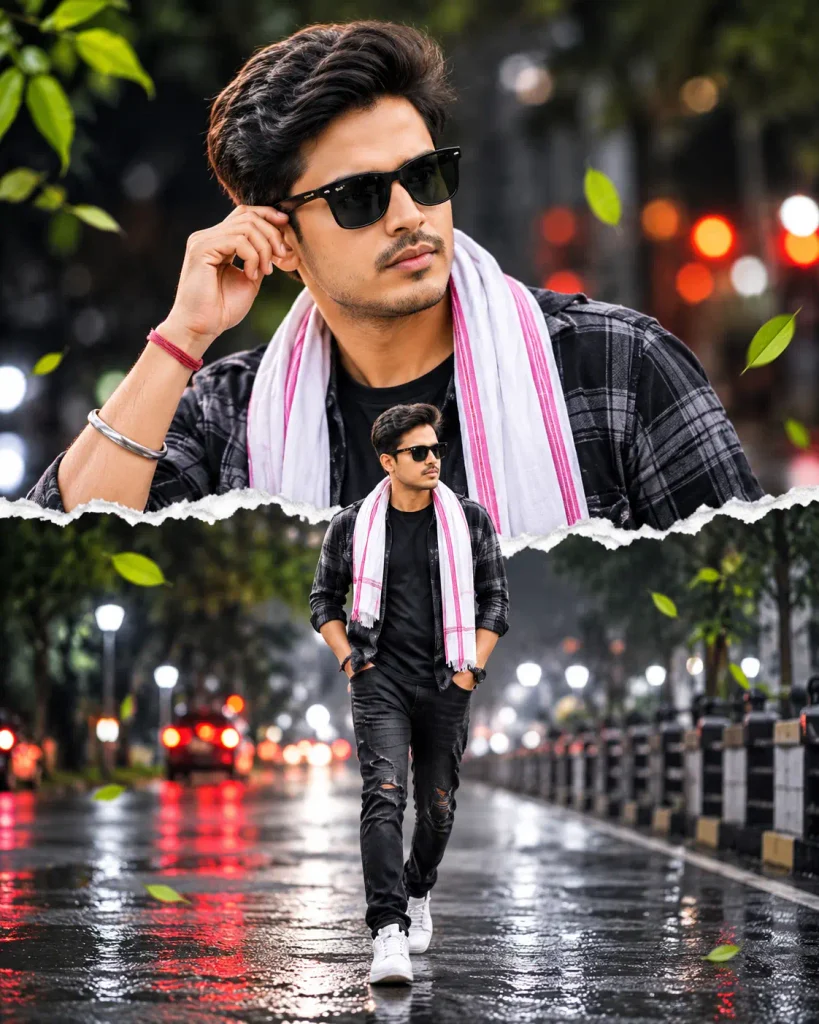
Use my uploaded photo as the exact face identity reference. Preserve my real facial structure, skin tone, hairstyle, eyes, nose, lips, and natural features. Create an ultra-realistic cinematic collage featuring a large, sharp close-up portrait in the upper half and a smaller full-body portrait of the same person walking confidently in the lower center, separated by a realistic white horizontal torn-paper effect. Style me in a black checked overshirt, black T-shirt, white scarf with pink accents, ripped black jeans, white sneakers, and black sunglasses. Use a dramatic nighttime city street with wet reflective pavement, colorful red and white bokeh lights, subtle green leaves, cinematic lighting, and realistic shadows. Both portraits must have consistent facial identity, lifelike human skin texture, natural anatomy, sharp focus, and professional DSLR quality. Avoid plastic skin, artificial CGI appearance, blurry faces, and distorted hands. Vertical 4:5 composition, 1080 × 1350, optimized for Instagram. No text, no watermark.My Pro Tips for Best Results
Here are a few simple tips that will help you get better results:-
- Always upload a clear photo where your face is fully visible and the lighting is good.
- First Attempt not received good result so generate the image 2 or 3 times.
- If the face does not match perfectly, add this line at the end of the prompt: “Keep my face 100% exact from the uploaded photo.”
- You can change the clothes or background by editing a few words in the prompt.
- For Instagram posts, the 4:5 vertical size works best.
Best AI Tools for Photo Editing
Here are some of the best AI tools you can use for Torn Paper Effect Double Exposure photos:
| AI Tool | Best For |
| ChatGPT | Easy prompts + good face matching (Recommend) |
| Google Gemini | Free & fast results |
| Leonardo AI | High quality and detailed images |
| Grok | Creative and realistic outputs |
| Midjourney | Premium cinematic look (Paid) |
Frequently Asked Questions (FAQs)
Q1. Can I use these Torn Paper Double Exposure prompts in Google Gemini also?
Ans: Yes. These prompts work well in both ChatGPT and Google Gemini. Just upload your photo and paste the same prompt.
Q2. Why is my face changing in the generated photo.
Ans: This usually happens when the uploaded photo is not clear. Always use a front-facing photo with good lighting. You can also add this line at the end of the prompt: “Keep my face 100% exact from the uploaded photo.
Q3. Can I change the clothes and background in the prompt?
Ans: Yes. You can easily change the outfit color, style, or background by editing a few words in the prompt according to your choice.
Conculsion
I hope these prompts help you create something you really like. Try different versions, change the clothes or background if you want, and have fun with it. When you make your photo, feel free to share your result in the comments. I would love to see what you create.
Also Read: Trending God Krishna Photo Editing Prompts for ChatGPT