

Hello friends! If you also want to create a high-quality realistic AI image with Bappa this Ganesh Chaturthi 2026 using just one prompt, but haven’t found the right prompts yet that can give you a perfect and realistic photo with Lord Ganesha, then this post is for you.
Today, I’m sharing 10 best AI prompts for Ganesh Chaturthi 2026 that work amazingly with ChatGPT and Gemini. Simply upload your photo and use these prompts to generate a beautiful, realistic image of yourself with Bappa in high quality.
Why Use ChatGPT and Gemini AI Prompts for Ganesh Chaturthi Photos?
Ganesh Chaturthi is a festival full of devotion and beautiful moments. Almost everyone wants a special photo with Bappa during this time, whether it’s at home puja or in a pandal. But many times the photos we take look ordinary. They don’t have that festive feel, the lighting is not perfect, or the overall look just doesn’t feel special enough.
This is where ChatGPT and Gemini AI prompts become really helpful. Instead of spending hours trying to edit your photo, you can simply upload your picture and use a ready-made prompt. The AI understands what you want and creates a beautiful, realistic image of you with Lord Ganesha while keeping your real face completely natural.
These prompts help you add the right festive elements like marigold flowers, glowing diyas, soft golden light, and traditional decorations automatically. You don’t need any design skills or complicated editing apps. Just copy the prompt, paste it with your photo, and you get a high-quality image in seconds that looks clean, spiritual, and ready to share on Instagram or WhatsApp.
If you want your Ganesh Chaturthi photos to look unique and special this year, these prompts can make the whole process very easy and enjoyable. Below you’ll find 10 carefully written prompts that work really well with both ChatGPT and Gemini.
10 Free AI Prompts for Ganesh Chaturthi with ChatGPT & Gemini
1: Traditional Devotional Portrait with Bappa
Transform my uploaded photo into a beautiful and realistic Ganesh Chaturthi portrait. Keep my exact face, facial features, skin tone, and identity completely unchanged. Dress me in elegant traditional Indian attire. Place a beautifully decorated Lord Ganesha idol beside me. Add marigold flowers, glowing diyas, soft golden lighting, and a peaceful festive background. Make the image photorealistic, highly detailed, and natural. No text, no watermark.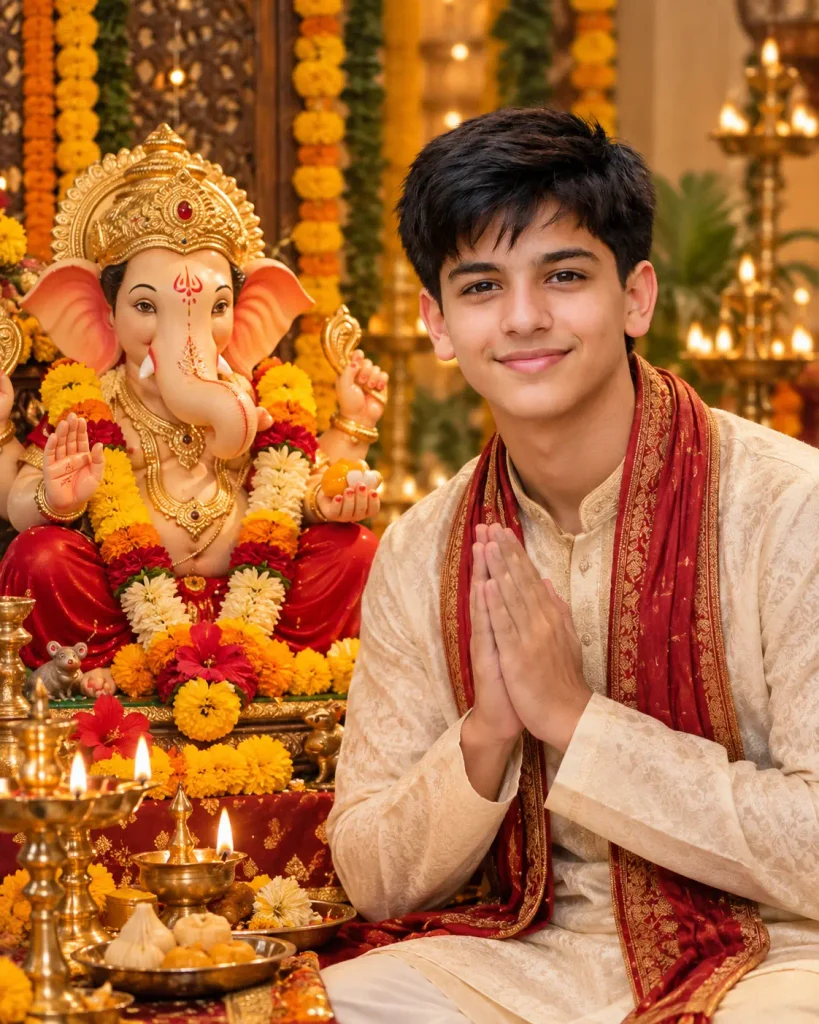
2: Bappa Blessing Me
Using my uploaded photo, create a realistic image where Lord Ganesha is standing beside me and blessing me with his raised hand. Keep my face and identity exactly the same. Add traditional flowers, glowing diyas, and a warm festive atmosphere. Use soft golden lighting and photorealistic details. No text or watermark.3: Grand Ganesh Chaturthi Celebration
Transform my photo into a grand Ganesh Chaturthi celebration scene. Keep my facial features and identity completely natural. Place a large, beautifully decorated Lord Ganesha idol next to me. Add marigold garlands, diyas, rangoli, and soft festive lights in the background. Make it cinematic, vibrant, and photorealistic. No text.4: Home Puja with Bappa
Create a realistic home puja scene using my uploaded photo. Keep my face exactly the same. Show me performing aarti or offering flowers to a beautifully decorated Lord Ganesha idol. Add modaks, diyas, marigold flowers, and traditional decorations. Use warm natural lighting and a peaceful family atmosphere. Photorealistic, highly detailed.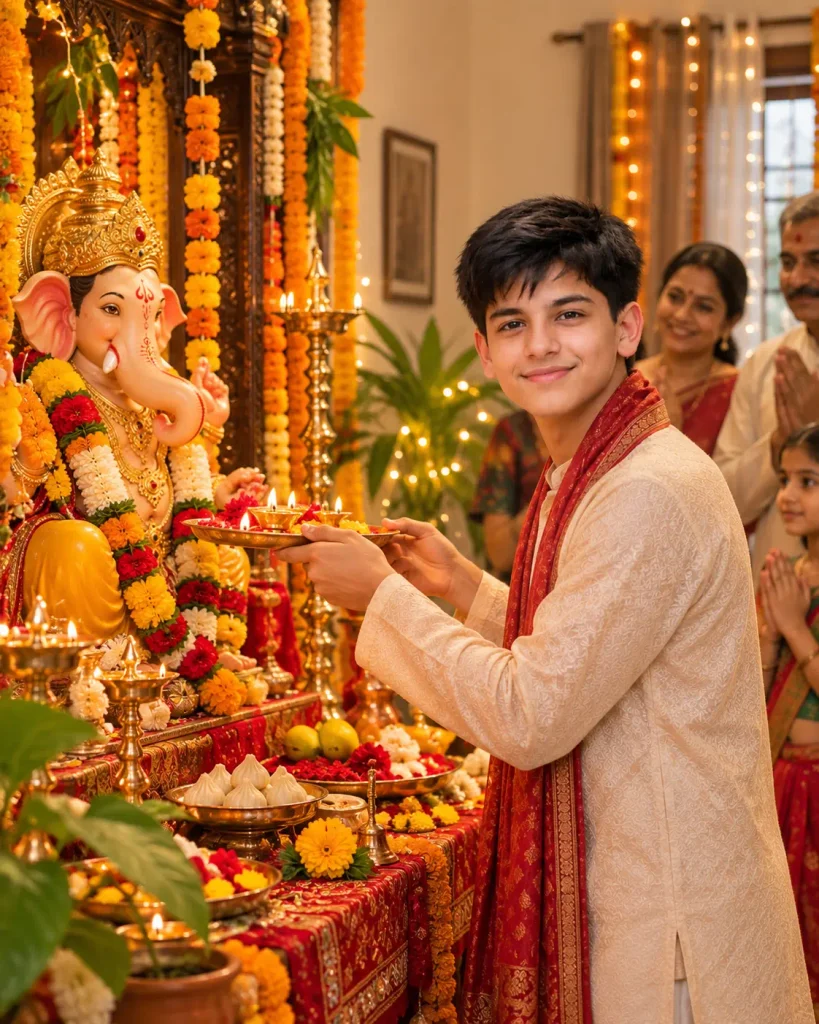
5: Elegant Traditional Look with Ganesha
Turn my photo into an elegant Ganesh Chaturthi portrait. Preserve my exact face, skin tone, and identity. Dress me in beautiful traditional Indian clothes with jewellery. Place Lord Ganesha beside me with soft golden decorations and flowers. Use soft cinematic lighting and a premium photorealistic look. No text.6: Selfie Style with Bappa
Create a fun and realistic selfie-style image using my uploaded photo with Lord Ganesha. Keep my face and expression natural. Make it look like Bappa is standing close to me in a festive setting with flowers and soft lights. Warm golden lighting, photorealistic, vertical composition. No text.Read More: Viral 1980s Couple Photo Prompt 2026
7: Maharashtrian Style with Ganesha
Transform my photo into a traditional Maharashtrian Ganesh Chaturthi look. Keep my facial identity unchanged. Dress me in authentic Maharashtrian attire. Place a decorated Lord Ganesha idol beside me with marigold flowers, diyas, and festive decorations. Warm lighting, realistic and natural look. No watermark.8: Serene Temple Background
Using my uploaded photo, create a peaceful and realistic image of me with Lord Ganesha in a temple-like setting. Keep my face exactly the same. Add soft glowing diyas, flowers, and a calm spiritual atmosphere. Soft golden light, highly detailed, photorealistic. No text.9: Modern Festive Look with Bappa
Create a modern yet festive Ganesh Chaturthi portrait from my photo. Preserve my exact facial features and identity. Dress me in stylish traditional clothes. Place a beautifully decorated Lord Ganesha idol next to me with soft lights and flowers. Cinematic lighting, clean and photorealistic style. No text.
10: Divine Golden Glow with Ganesha
Transform my uploaded photo into a divine and realistic image with Lord Ganesha. Keep my face, skin tone, and identity completely unchanged. Surround us with soft golden glow, marigold flowers, and glowing diyas. Peaceful and spiritual atmosphere, photorealistic, highly detailed. No text or watermark.Know More: Create Viral Ganesh Visarjan AI Video
How to Use These AI Prompts
Many people use AI prompts but still do not get the exact result they want. The reason is simple just copying the prompt is not always enough. You can easily improve the final image by making a few small changes. Here’s the correct way to use the prompts given above:
- Open ChatGPT or Gemini.
- Upload a clear photo of yourself (front-facing photo works best).
- Copy any prompt from the list above and paste it.
- Before generating the image, you can customize the prompt according to your needs.
- What clothes you want to wear
- Which side your face should look
- Location or background (home, temple, outdoor, etc.)
- Who else should be in the frame
- Type of lighting or mood
My Final Thought
I hope these prompts help you create amazing and trending Ganpati Bappa AI images in seconds using ChatGPT and Gemini AI. My advice is to always upload a clear and full photo so the AI can easily understand and make perfect Lord Ganesha images. If you need any help from my side, please comment below and I will help you.
Also Read: 6 Instagram Trending Petrol Pump AI Photo Editing Prompt


Pingback: Instagram Trending Petrol Pump AI Photo Editing Prompt | Night Petrol Pump Edit in ChatGPT - Prompt Insta
Pingback: Create Viral Ganesh Visarjan AI Video with These 9 Prompts - Prompt Insta