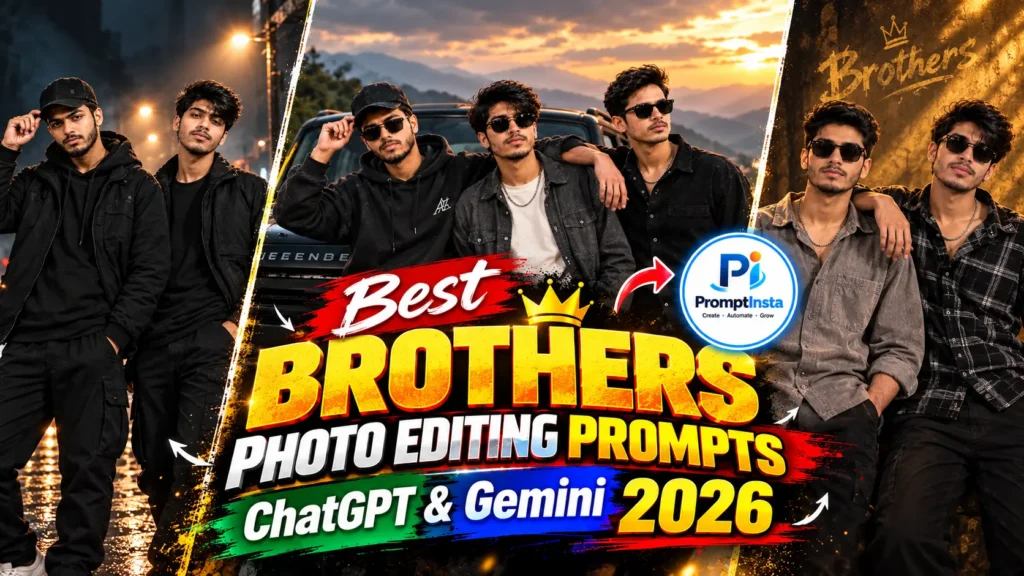

I know that feeling. You have a nice photo of you and your brother, but the background looks messy, the light is dull, or you just want it to look more special. That’s why I put together this simple guide with the best chatgpt brothers photo editing prompts. You can copy and paste them straight into ChatGPT.
These prompts work well for 2 brothers photos and even group shots. The best part is I made sure the faces stay looking like you and your brother — no weird changes. I tested many prompts myself and only kept the ones that actually work. In this article, I’ll share the ready prompts, easy steps, and a few tips I use so your photos turn out nice every time. Let’s make some good brother memories together.
How to Use These Brothers Photo Editing Prompts in ChatGPT
Now, I know in you mind a question how to using these chatgpt brothers photo editing prompts. so tell you trust me is very easy. Here’s exactly what I do every time:
- Open ChatGPT & Gemini on your phone or computer.
- Upload the photo of you and your brother (or brothers).
- Copy any prompt from this article.
- Paste it in the chat and press send.
That’s it. ChatGPT will edit the photo for you in a few seconds.
Tip I always follow: make sure the prompt clearly says to keep the faces exactly the same. This small step helps a lot. You can also ask ChatGPT to try again if the first result is not perfect.
Trending 2 Brothers Photo Editing Prompts ChatGPT & Gemini
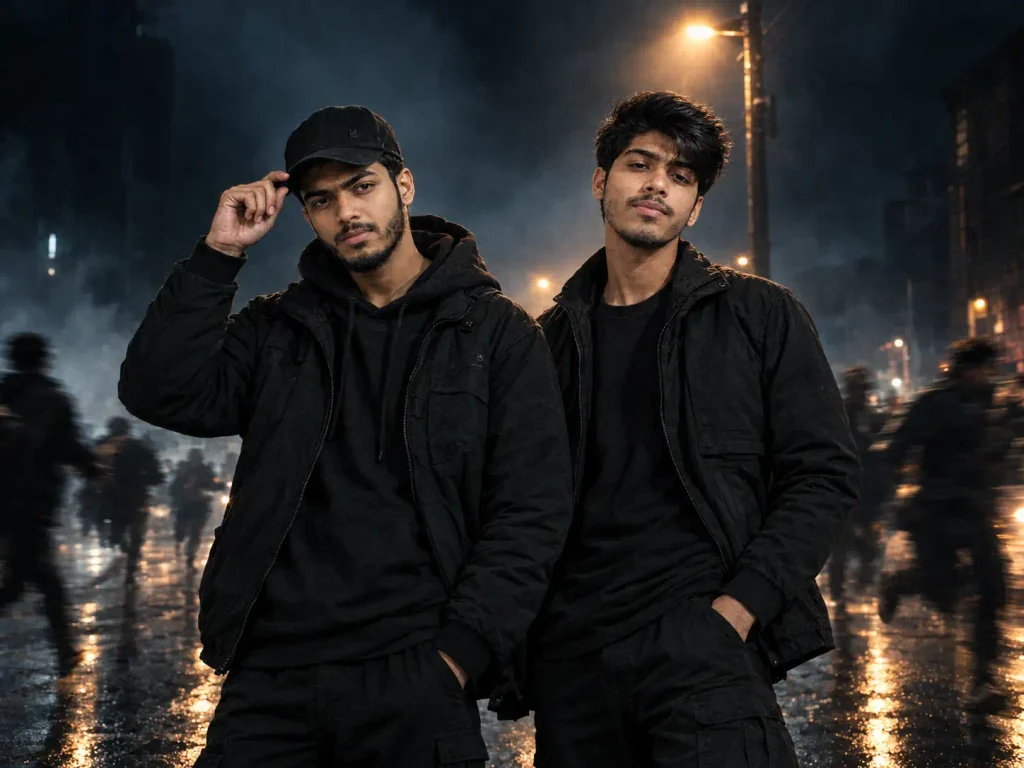
Create a hyper-realistic cinematic duo portrait using the reference uploaded images. Both individuals are standing together boldly, radiating cold, fearless, mysterious vibes with intense expressions and confident body language. One person is adjusting the brim of his cap with one hand, while the other stands confidently with one hand in his pocket, giving a cold, intimidating expression. Preserve both individuals' original facial identities, facial structure, skin tones, hairstyles, and recognizable physical features while enhancing facial clarity, natural skin texture, sharpness, balanced lighting, and overall portrait quality. Keep their faces realistic, attractive, detailed, and naturally refined without changing their identity or making them look artificial. Dress both in stylish, dark streetwear with realistic fabric textures. They are standing beneath a flickering streetlight on a foggy, dark urban street at night. Frightened people are running past them in the background, captured with dramatic motion blur, creating a sense of fear and tension, while both main subjects remain perfectly sharp and in focus. Moody cinematic lighting, cold blue-grey fog, subtle warm streetlight highlights, wet reflective pavement, deep shadows, dark and scary atmosphere, dramatic contrast, realistic depth of field, professional 35mm lens photography, natural anatomy, detailed faces, ultra-realistic skin, premium cinematic color grading, high dynamic range, 4K-quality details. Keep both subjects as the main focus, with realistic proportions and seamless integration into the environment. Portrait composition, 4:3 aspect ratio. No text, no watermark, no artificial faces, no distorted hands, and no excessive beauty filters.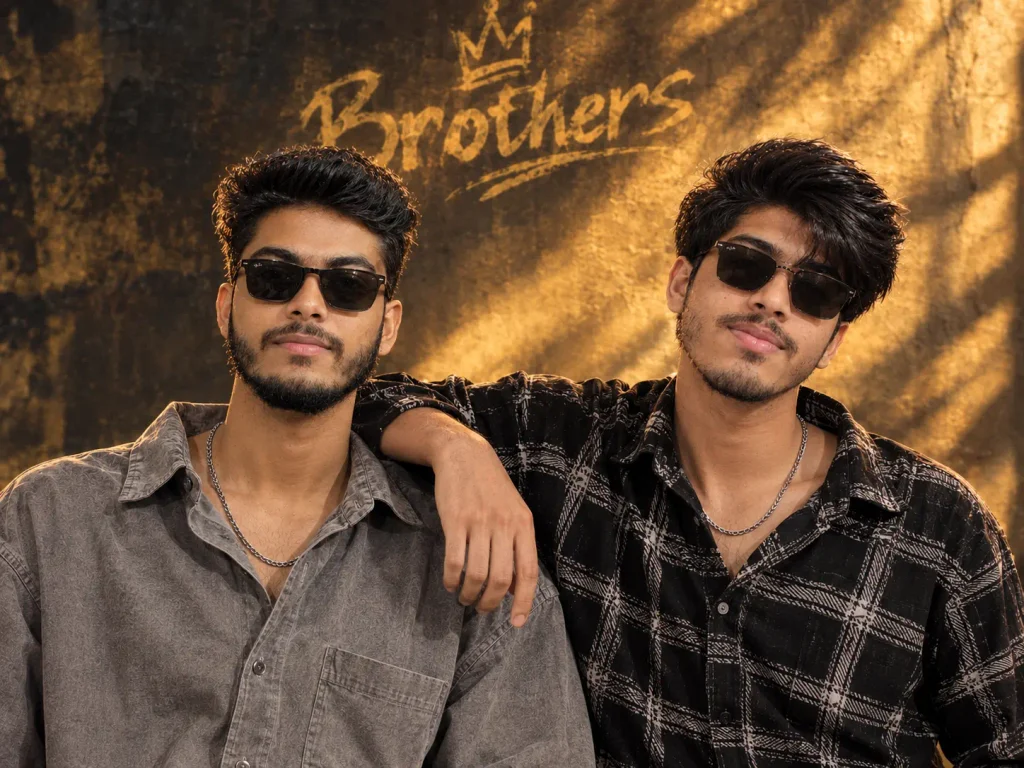
Create an ultra-realistic cinematic brotherhood portrait of two young South Asian male friends using the two uploaded photos as exact individual facial identity references. Preserve their original faces, facial structure, skin tones, hairstyles, and natural features without changing their identities. Both stand close together with confident expressions and subtle smiles, one friend casually placing his arm around the other's shoulders. The first wears an oversized charcoal-grey textured shirt, the second a black patterned shirt. Both wear stylish black sunglasses and silver chains. Warm golden cinematic lighting, luxurious golden-brown textured wall background, realistic shadows, natural skin texture, sharp facial details, premium DSLR photography, 85mm lens, shallow depth of field, photorealistic quality, vertical 4:5 composition. Negative instructions: No face swapping, no identity changes, no artificial skin, no distorted hands, no extra fingers, no additional people, no text, no lettering, no logos, no watermark, no borders, no collage, and no reference photos visible in the final image.Viral 3 Brothers Photo Editing Prompts ChatGPT & Gemini
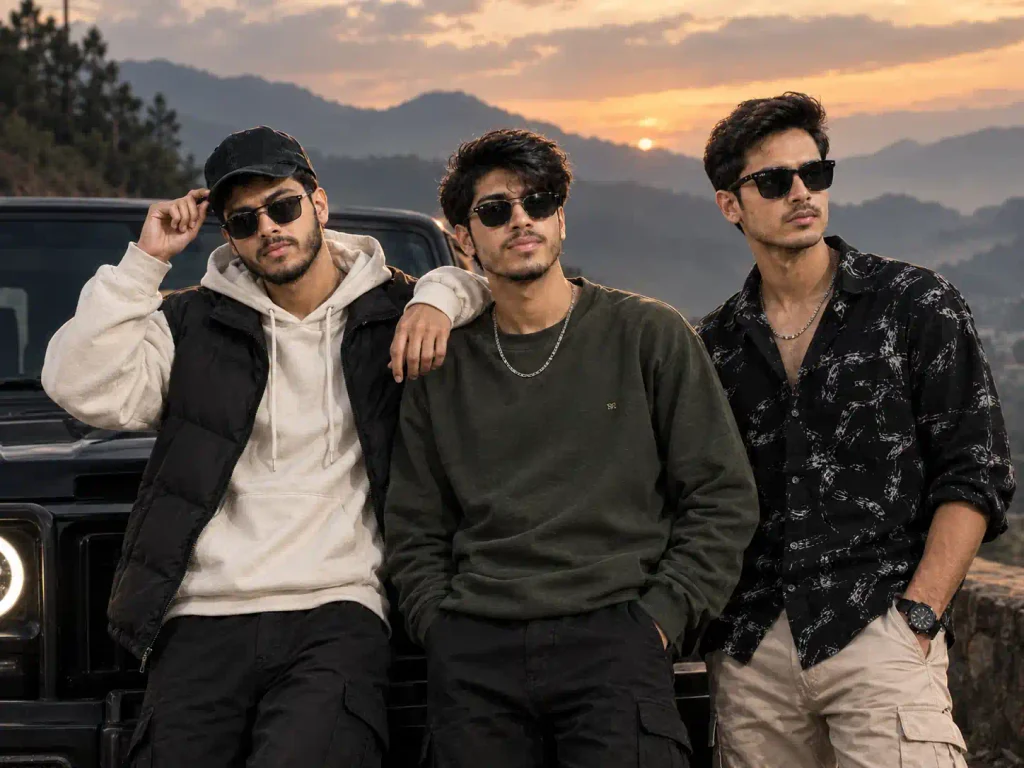
Create an ultra-realistic cinematic portrait of three brothers using the three uploaded photos as individual facial identity references. Preserve each person's exact recognizable face, facial structure, skin tone, hairstyle, and natural features. Do not mix, swap, or alter their identities. Recreate this composition: all three brothers standing confidently together in front of a stylish black SUV at a scenic mountain pass during sunset. The first wears a cream hoodie, black puffer vest, and black cap, casually adjusting his cap. The second wears an olive-green sweatshirt and black cargo pants, standing relaxed with his hands in his pockets. The third wears a black patterned shirt, beige cargo pants, a wristwatch, and black sunglasses, looking confidently into the distance. Misty mountain peaks, dramatic golden sunset, cloudy sky, rugged landscape, cinematic warm highlights, cool shadows, realistic fabric textures, natural skin details, professional DSLR photography, 35mm lens, sharp faces, realistic anatomy, premium movie-poster color grading, high dynamic range, photorealistic 4K quality. Wide 4:3 composition, all three brothers clearly visible, standing close together with natural brotherhood chemistry. No extra people, no duplicated faces, no face swapping, no artificial skin, no distorted hands, no text, no logos, no watermark, and no reference photos or collage visible in the final image.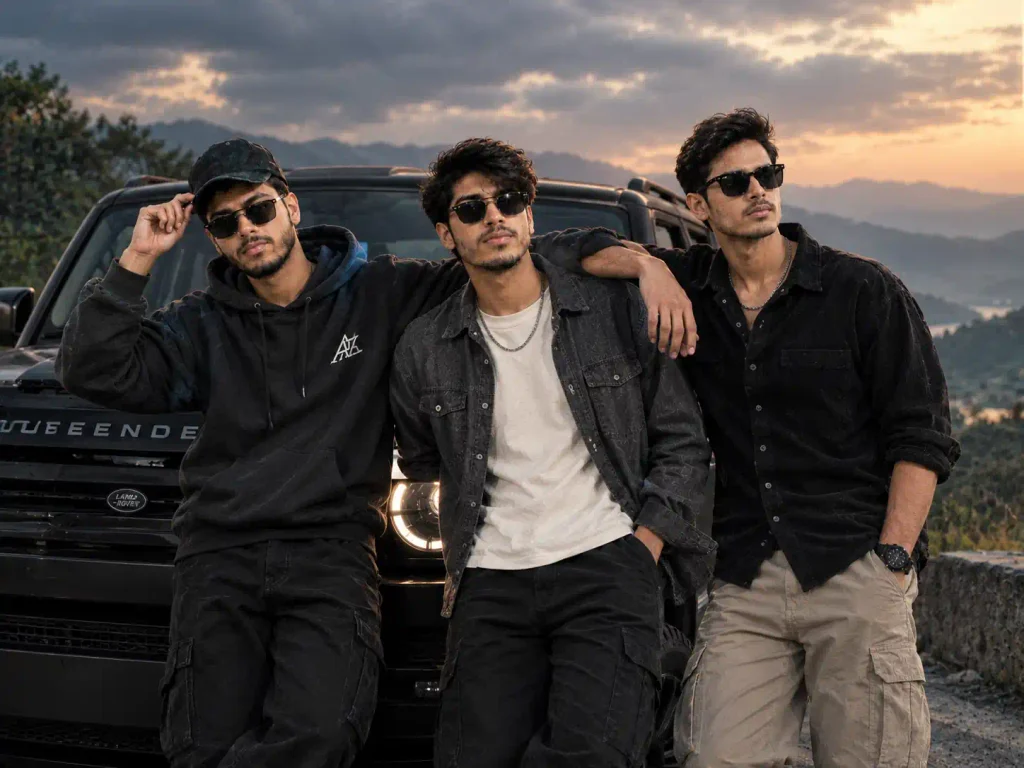
Create an ultra-realistic cinematic portrait of three brothers using the three uploaded normal photos as individual facial identity references. Preserve each person's recognizable face, facial structure, skin tone, hairstyle, and natural features. Never mix or swap their identities. Scene & Pose: All three brothers stand closely together in front of a luxurious black Land Rover Defender at a scenic mountain viewpoint during golden-hour sunset. The middle brother places one arm naturally over each brother's shoulder, with both hands and arms fully visible, anatomically correct, and realistically positioned. The left brother casually adjusts his black cap, while the right brother rests one hand in his pocket. All three wear stylish black sunglasses and confident, relaxed expressions. Outfits: Left brother wears a premium black hoodie, black cargo pants, and a black cap. Middle brother wears an olive-green jacket over a white T-shirt, black cargo pants, and a silver chain. Right brother wears a black patterned shirt, beige cargo pants, a stylish wristwatch, and a silver chain. Background & Quality: A black Defender SUV with realistic headlights, rugged mountain scenery, a distant valley, dramatic clouds, and a glowing golden sunset. Cinematic warm highlights, cool shadows, realistic skin texture, detailed clothing, professional DSLR photography, 35mm lens, sharp faces, natural body proportions, premium movie-poster color grading, and photorealistic 4K detail. Wide 4:3 composition, all three brothers clearly visible from head to thigh, naturally connected through their shoulders, with balanced spacing and realistic poses. Negative instructions: No identity changes, no face swapping, no missing or floating hands, no extra arms or fingers, no duplicated people, no distorted anatomy, no artificial skin, no cartoon effects, no text, no watermark, no logos, and no reference photos or collage in the final image.How to Create Brothers Image with Matching Face
Here are the tricks I always use so the faces stay looking real and natural:-
- 1st: I always add a strong line like “keep both faces, facial features, skin tone and expressions exactly the same.” This is the most important part.
- 2nd: I change only one thing at a time. If I want a new background and new clothes, I do the background first, then ask for the clothes in the next step.
- 3rd: I ask for “natural skin texture and visible pores.” This stops the faces from looking too smooth or plastic.
- 4th: after the photo comes, I carefully check every face. If something looks off, I simply tell ChatGPT what to fix.
One honest note: sometimes the first try is not perfect. I just ask Ai to try again with a small change in the prompt. It usually works better the second time.
How to Quick Fixes When Images not Generated Well.
Sometimes the photo does not come out perfect. Here is what I do:
- If the face changed Add a stronger line Keep the exact face, features and skin tone the same.
- If someone is missing so tell ai tool the exact number of people and say keep every person.
- If the photo looks fake ask for “natural skin texture and visible.
Mostly these small fixes usually solve the problem quickly. if any other problem so you tell ai tool on your word like hindi, english and others lanuages.
Conclusion
I hope friends these gemini and chatgpt brothers photo editing prompts help you create nice photos with your brother and help to convert a simple image in memories. you just upload your photo, copy any prompt you like and try it. You can always ask Ai Tool to improve the result if needed.
Making memories with your brother should feel simple and fun. Go ahead and try one prompt today — I’m sure you’ll like the result. Thank you for reading. Have a good day.
Also Read: Best Photo Editing Prompts For Chatgpt 2026